
This article is also available in: 繁體中文 · 日本語 · 한국어 · Bahasa Indonesia · Bahasa Melayu · ไทย · Português (Brasil) · Español · Türkçe · Tiếng Việt · Deutsch · हिन्दी
Contents (43)
Keep unopened instant film somewhere dry, cool and well ventilated, and only put it in the fridge for long-term storage: instax at 10°C or below, then wait at least 12 hours after taking it out before opening it; Polaroid at 4–18°C, never frozen, and warmed up for at least 1 hour before shooting. Don’t shake the photo after you take it. When you fly, unused film and any camera with film loaded always go in your carry-on, and ideally you ask security staff for a hand inspection; photos you have already taken are fine going through X-ray.
Every one of those sentences comes from Fujifilm’s (instax) or Polaroid’s own FAQs, spec sheets and support articles, not from internet lore. This article lays out the official answers one question at a time, explains the reasons, and shows where the two brands differ. In everyday English, people often call any instant camera a “Polaroid”, so the word ends up covering both brands, yet their usage conditions are very different. For the basic differences between the three camera types, start with the series overview (in Chinese).
1. instax vs Polaroid: usage conditions at a glance
Here is the whole article squeezed into one table; each section below explains one row. The instax column means Fujifilm’s film, and the Polaroid column means i-Type, 600 and similar film.
| Item | instax | Polaroid |
|---|---|---|
| Developing time | About 90 seconds | Color about 10–15 minutes; black and white about 5–7 minutes |
| Shake while developing? | No, and don’t fold or bend it | No, and don’t fold or press it |
| Shield from light after ejection? | Not specifically, but keep it out of direct sunlight | Yes: face down, in a pocket or an empty film box |
| Best shooting temperature | 25°C | 13–28°C |
| Usable temperature | 5–40°C | Outside 13–28°C, colors shift and contrast drops |
| Fridge storage temperature | 10°C or below | 4–18°C, lying flat, never frozen |
| Warm-up after the fridge | At least 12 hours before opening | At least 1 hour before shooting |
| Once loaded in the camera | Use it up soon (no number of days given) | Use it up within about 2 months |
| Shelf life | Use before the expiry date on the box (no months published) | Best within 12 months of the production date |
| Unused film at airports | Carry on, ask for a hand inspection; never check it | Carry on, ideally ask for a hand inspection; checked film is likely to be damaged |
| Finished photos | Store somewhere dark, dry and ventilated | Don’t seal them for the first 30 days, then keep them dark, dry and UV-protected |
| Film speed | ISO 800 | ASA 640 (i-Type, 600) |
Read across the table and instax is the less fussy of the two: it develops in a minute and a half, needs no shielding from light, and works anywhere from 5°C to 40°C, a wide range. Polaroid’s conditions are much narrower: it takes ten-plus minutes to develop, has to be shielded from light while it does, and its best temperature is only the 13 to 28°C band, so a little colder or a little hotter shows up in the colors. For fridge storage the difference runs the other way: instax asks for a 12-hour warm-up, far longer than Polaroid’s 1 hour, which means taking the film out the night before you go shooting.
The film speed row is in the table because it matters for the airport question later: the higher the film speed, the more easily X-rays affect the film. The industry history and product specs of the two brands are covered separately in the instant camera industry history (in Chinese).
2. How long until the photo appears?
Answer: about 90 seconds for instax; about 10 to 15 minutes for Polaroid color and about 5 to 7 minutes for black and white.
The official instax FAQ says the photo finishes developing about 90 seconds after it comes out of the camera. Polaroid’s product pages give a developing time of 10–15 minutes for both color i-Type and 600 film; another support article says about 5–7 minutes for black and white and about 10–15 minutes for color, and notes that the recommended time for each film is printed on the back of the box.
This time is not fixed. Polaroid explains that developing is a chain of chemical reactions that have to happen in order, and once the temperature moves outside 13 to 28°C the reaction speed changes with it: in hot weather developing is noticeably faster, shorter than the time on the box, and in cold weather it slows down. So a photo that “comes up really fast” on a scorching day is usually not good news; it often comes with a color cast (more in section 5).
With both brands, the photo that has just come out is not finished yet. Fujifilm’s spec sheet specifically reminds you to hold it by the white border and not to press on the image area.
3. Should you shake an instant photo?
Answer: no. Both makers say so explicitly.
Shaking the photo is many people’s first reflex with an instant camera, but Fujifilm’s instax FAQ lists it directly as a reason for “photos not developing properly”: folding, bending or shaking the photo during the roughly 90 seconds of developing affects how the chemicals spread through it. Polaroid is more specific: never shake a photo while it develops, because shaking easily leaves blobs and distortion along the bottom edge; and if the photo gets folded or pressed when you tuck it into a pocket to shield it from light, spots or distortion also appear, because the developing chemicals inside are still wet and have not “set” yet.
The reason lies in the structure. Every sheet of instant film has a small pod of developing reagent sealed inside it. As the photo is ejected, two rollers in the camera burst the pod and spread the reagent evenly across the whole picture. Until developing is complete, that layer of reagent is still a paste that can flow, and shaking, folding or pressing all make it spread unevenly. Polaroid even says that dirty rollers, which keep the reagent from spreading evenly, are the most common source of flaws in photos.
What to do instead is simple:
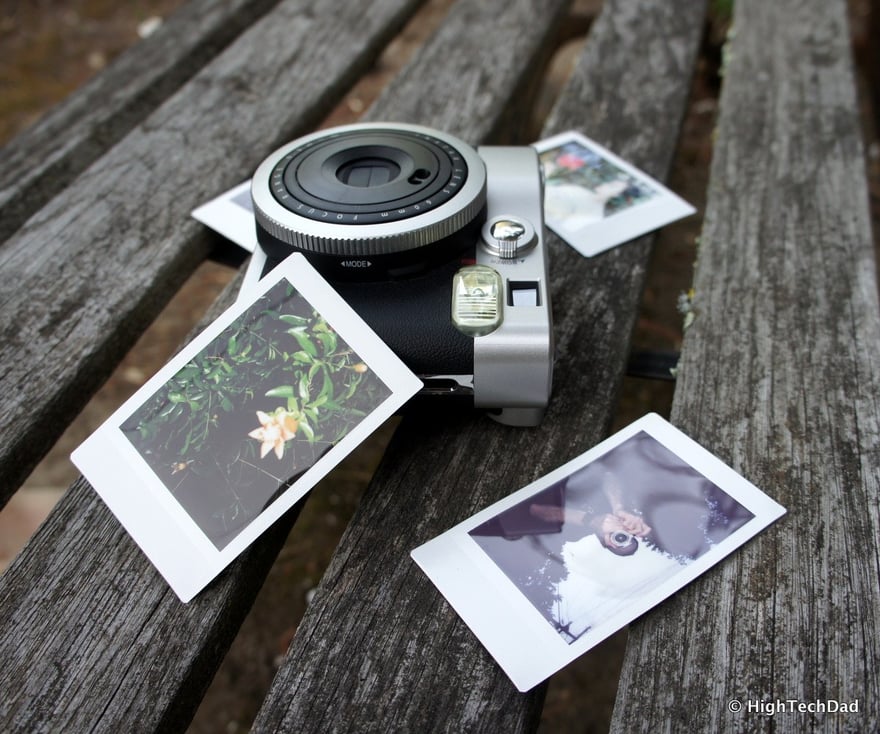
- With instax, once the photo comes out, hold it by the white border, lay it flat on a table and wait a minute and a half.
- With Polaroid, once the photo comes out, lay it face down, or flat in an inside jacket pocket or an empty film box, and wait ten-plus minutes without bending it.
.jpg)
4. Why do Polaroid photos need covering and instax photos don’t?
Answer: Polaroid film is still light-sensitive after it leaves the camera and must be shielded until it has developed; instax needs no special covering, though Fujifilm also says not to leave it in direct sunlight while it develops.
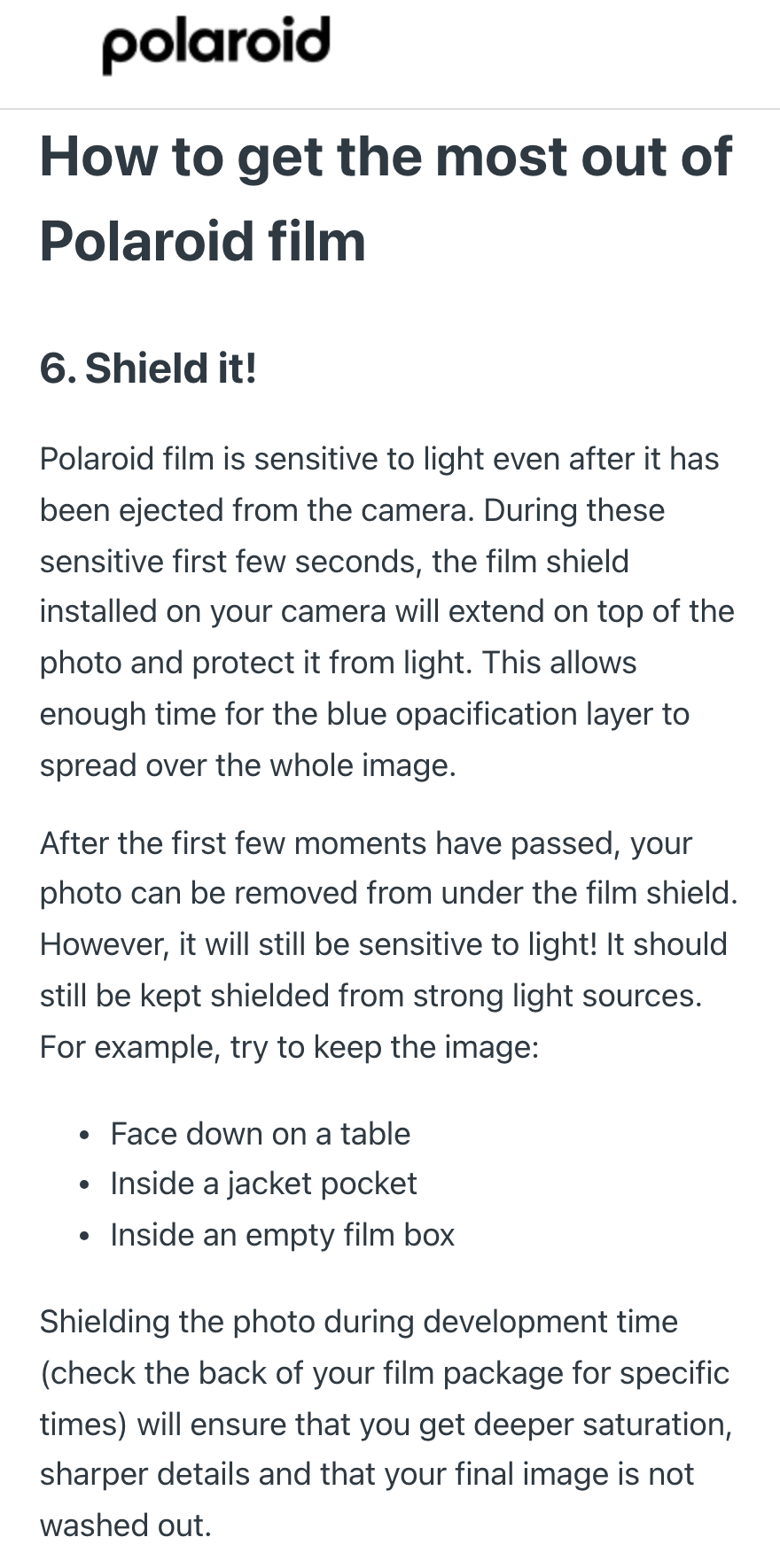
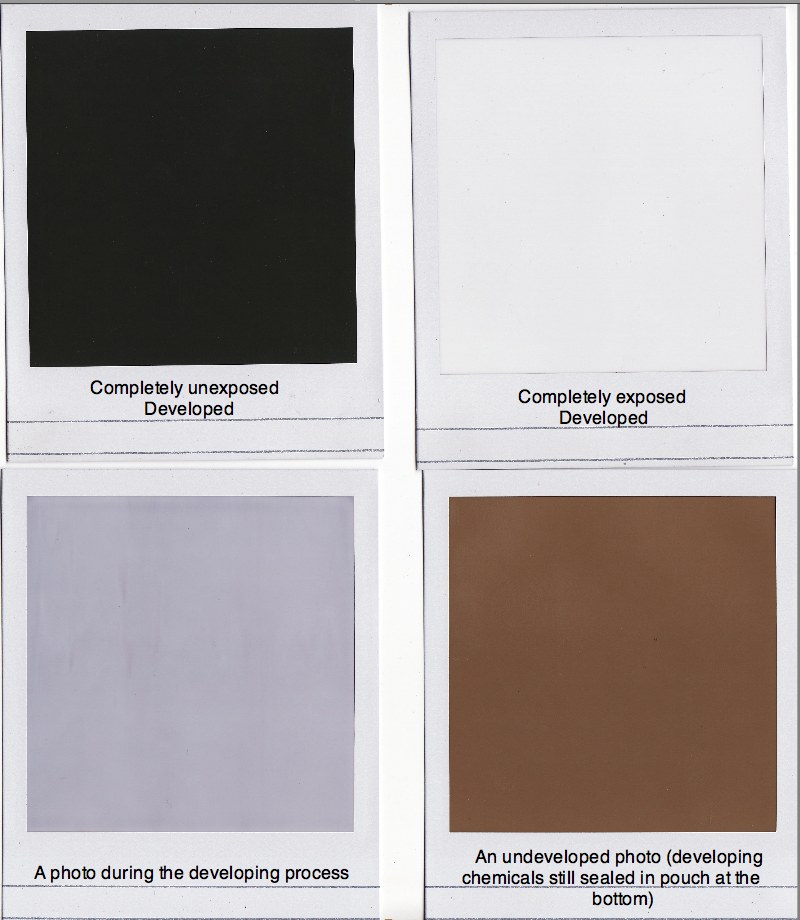
Polaroid explains that its film remains sensitive to light after ejection. For the first few seconds, when it is most sensitive, a film shield at the camera’s exit slot covers the photo, giving the blue opacification layer on the surface time to spread across the whole image. After those first few seconds you can take the photo out, but it is still vulnerable to strong light, and Polaroid recommends laying it face down on a table, putting it in an inside jacket pocket, or putting it in an empty film box. In its instructions for the I-1 camera, Polaroid puts it even more directly: keep it face down, away from light, for at least the first 10 minutes. If it isn’t shielded properly, the result is undersaturated colors, blurred detail and a washed-out picture.

instax has no such routine. Fujifilm’s spec sheet adds just one reminder: don’t leave the photo in direct sunlight while the image is still appearing. In other words, holding it in your hand indoors or in the shade while it develops is fine; leaving it out in bright sun while you wait is not recommended.
This difference matters a lot in practice. At events like weddings and birthday parties, where you hand photos to people on the spot, an instax photo is ready to give away a minute and a half after you shoot it; a Polaroid has to stay covered for ten-plus minutes first, which changes the whole rhythm of the occasion.
5. How does temperature affect instant film? Shooting in summer heat, cold weather and the mountains
Answer: instax works anywhere from 5 to 40°C, with 25°C the best; Polaroid works best at 13 to 28°C, turning blue-green when too cold and yellow-red when too hot.
instax temperature conditions
Fujifilm’s instax spec sheet says the film is designed for an optimum of 25°C and gives good results anywhere between 5–40°C. When shooting below 5°C, put the photo straight into a pocket to keep it warm as soon as it comes out, taking care not to fold it. The spec sheet also notes that if the film, or a camera with film loaded, has been left somewhere very hot or very cold, you should wait until it is back at normal temperature before shooting, or the results may suffer.
Polaroid temperature conditions
Polaroid’s support articles give the best range as 13–28°C and explain what happens outside it:
- Below 13°C: photos tend to be overexposed with weak color contrast and a bluish or greenish cast (of Polaroid’s two articles, one says blue and the other says green), and developing slows down.
- Above 28°C: color photos turn yellow, orange or pink overall, and a blue sky may turn pink; black-and-white photos lose a great deal of contrast.
- In cold weather: keep the camera and the developing photo close to your body in an inside jacket pocket so your body heat keeps them warm.
- In hot weather: chill the film in the fridge before you go out, let photos develop in an air-conditioned room, in a cooler bag or under a cold drink (careful not to get them wet), and you can also turn the camera’s exposure dial toward “darker”.
Four common situations
Mapping the two makers’ thresholds onto common shooting situations, it works out roughly like this:
- Hot outdoor summer events (the beach, music festivals, outdoor weddings): check the forecast before you go. Above 28°C, Polaroid is outside its recommended range and photos may turn yellow-red; instax’s upper limit is 40°C, so most outdoor events are still within range.
- A car parked in the sun: this is exactly the “very hot place” Fujifilm’s spec sheet means. Don’t leave film, or a camera with film loaded, in the car; if it has been there, wait until it is back at normal temperature before shooting.
- Outdoor shooting on a cold day: Polaroid is very likely below its 13°C lower limit, so keep the camera and photos close to your body; instax only needs photos kept warm in a pocket below 5°C.
- Snowy mountains in winter: both brands are out of range. Put each instax photo into a pocket as soon as it comes out; with Polaroid, keep all three, the camera, the film and the photos, warm against your body.
The temperature thresholds in this section all come from the makers’ documents; for the actual temperature where you are, check the local forecast on the day.
6. How should you store unused film? Should it go in the fridge?
Answer: short term, keep it somewhere dry, cool and well ventilated, without opening the foil pack; only use the fridge for long-term storage, and always let it warm up after taking it out.
How to store instax film
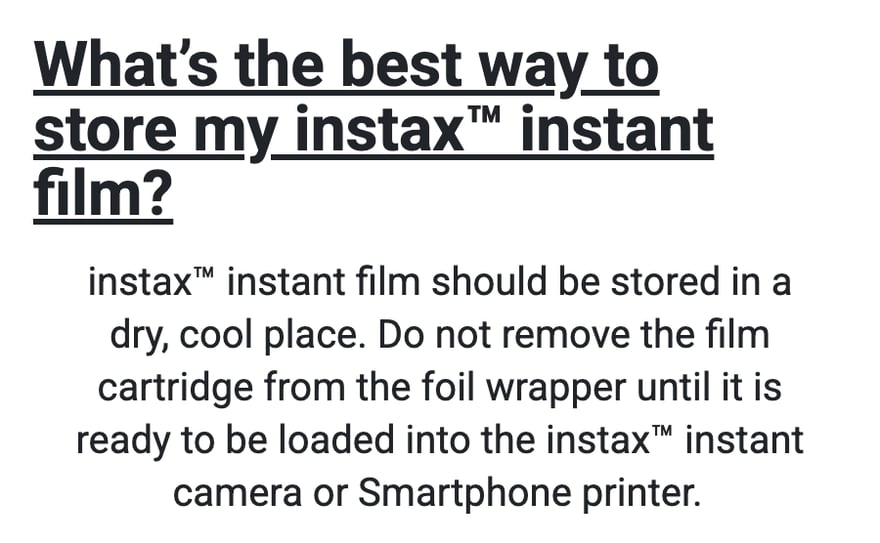
Fujifilm’s instax FAQ says: keep the film somewhere dry and cool, and only take it out of the foil packaging when you are about to load it into the camera. The official spec sheet goes into more detail:
- High temperature, high humidity and harmful gases such as formaldehyde all damage the film, so keep it somewhere dry and well ventilated.
- Sources of formaldehyde include new building materials (such as coated plywood), brand-new furniture, paint and adhesives. A freshly renovated room or newly bought built-in cabinets are not a good place for film or a camera with film loaded.
- For long-term storage, keep it in the fridge at 10°C or below; put opened film in a polyethylene or plastic bag before it goes in the fridge.
- After taking it out of the fridge, wait at least 12 hours for it to reach room temperature before opening it; opening it while it is still cold can cause condensation and damage.
- Once the film is loaded in the camera, use it up as soon as possible.
How to store Polaroid film
Polaroid’s support article on storage says:
- Keep unused film in its unopened original box, in a cool, dry environment. The box itself is designed to keep out light and moisture.
- Store it lying flat (largest side down) in the fridge, at 4–18°C.
- Never freeze it. Freezing damages the chemistry, and the film will not work properly afterwards.
- Frequent temperature changes can cause moisture-related damage, so don’t keep moving it in and out of the fridge.
- When you are ready to shoot, let the film warm up for at least 1 hour; cold film performs worse.
- Once film is loaded in the camera, it is exposed to the surrounding temperature and humidity, so as a rule use it up within 2 months.
Fridge storage in practice
If you keep both brands’ film at home, a fridge temperature between 4 and 10°C satisfies both makers at once. Don’t use the freezer: Polaroid says explicitly never to freeze, and Fujifilm’s documents say “refrigerator, 10°C or below” without mentioning freezing.
The warm-up time is the rule people most often overlook. instax needs 12 hours, which means that if you are going out to shoot, you have to take the film out of the fridge the night before, still in its packaging, and open it only once it has warmed up.
The dry cabinets many photographers use for lenses are not mentioned in either maker’s documents, and neither gives any humidity figure. All the official guidance says is “dry, well ventilated, away from high heat and humidity”, and this article does not invent a number for it.
7. Can you still use expired film?
Answer: it will still take pictures, but quality is not guaranteed.
Polaroid says all film is best used within 12 months of the production date, which is printed on the bottom of every box. Film changes chemically over time, and good storage slows this down, but past the expiry date it is unlikely to produce photos that meet the factory’s quality standard; expired film still develops, but may have flaws, and such flaws are not covered by the warranty. In Polaroid’s troubleshooting articles, the most common symptom of expired film is overexposure, meaning a washed-out or even completely white photo; another is low contrast with a faded look.
On the instax side, the official FAQ only says “for best results, use before the expiry date on the box”, and the spec sheet adds that “photographic characteristics change over time”. Fujifilm does not publish how many months instax film lasts from production to expiry, and I could not find an official source for the figures circulating online, so I don’t give one.
For comparison, take single-use cameras. Fujifilm Japan’s FAQ on expired film and on its single-use camera, 写ルンです (Utsurundesu, sold as QuickSnap outside Japan), says it “does not recommend using” them: film deteriorates gradually, like fresh food, and expired film can still take pictures, but its sensitivity drops, the grain gets coarser and the colors fade, so the results fall short of what it was designed to deliver.
8. Flying with instant film: checked bags, carry-on, hand inspection and CT scanners
Answer: never check unused film or a camera with film loaded; carry it on board, and ideally ask security staff for a hand inspection. Finished photos can go anywhere.
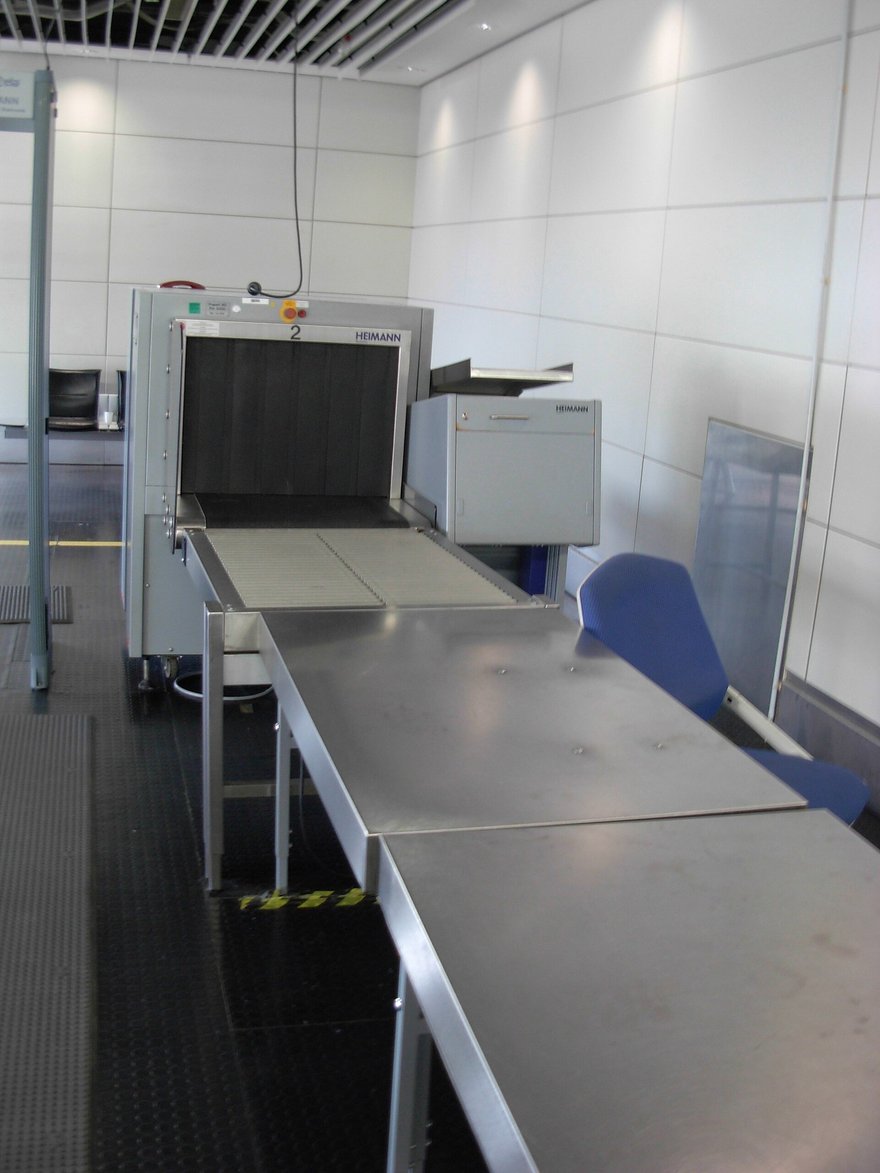

Checked baggage: both makers say no
Polaroid says film in checked baggage is “very likely” to be damaged. Fujifilm’s airport security notice of 10 February 2020 (what Fujifilm’s Japanese site published is a Japanese translation of a Fujifilm USA document) says: always put unprocessed film (explicitly including instax film and 写ルンです) in your carry-on, and ask security staff for a hand inspection every time. The official instax FAQ also states that both film and cameras with film loaded should travel as carry-on.
Carry-on baggage: better than checking, but not a guarantee
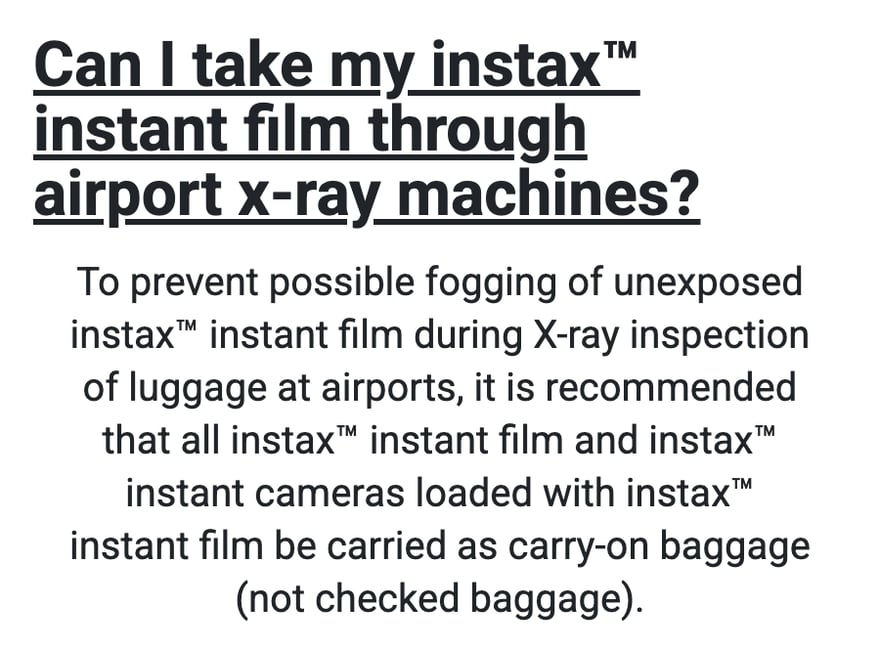
The instax FAQ recommends carrying all instax film and cameras with film loaded as carry-on luggage, to keep X-rays from fogging unexposed film. Fujifilm’s spec sheet goes further and recommends handing the film and camera to security staff for visual inspection when you go through security.
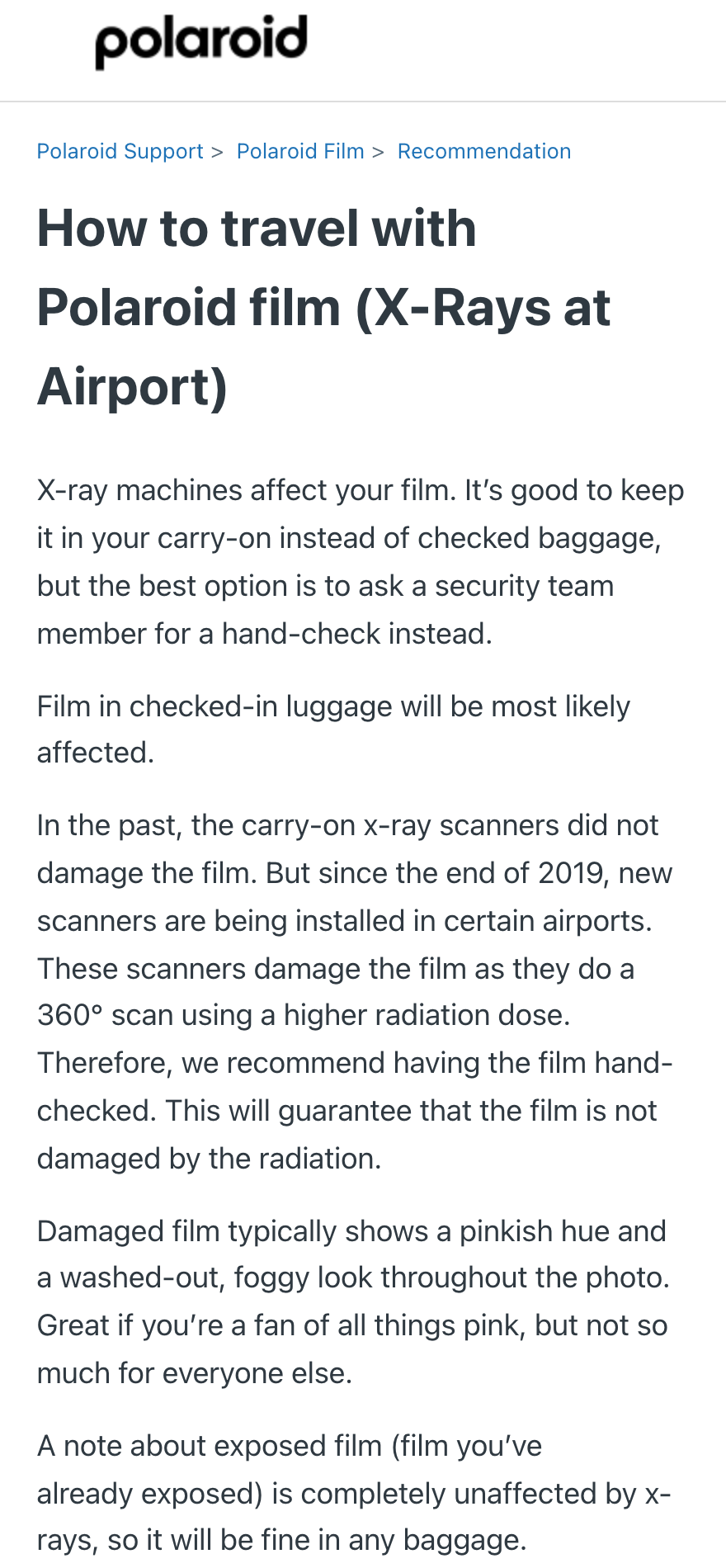
Polaroid explains why carry-on alone is no longer enough: older carry-on X-ray machines did not harm film, but since the end of 2019 some airports have started installing new scanners that do a 360° scan with a higher dose, and these machines do damage film, so Polaroid recommends asking for a hand inspection, which is the only way to be sure the film is not exposed to radiation.
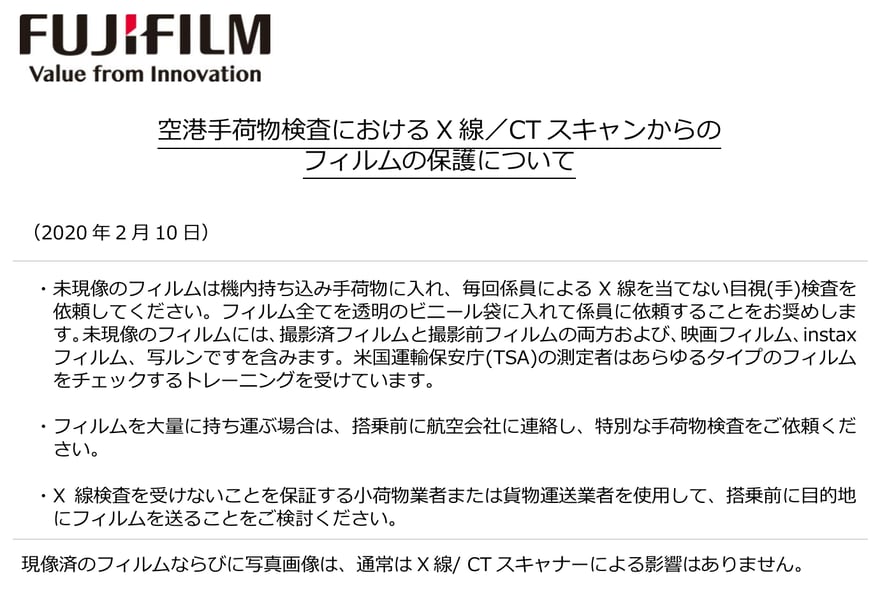
Fujifilm’s 2020 notice is about the same thing: the newer, more powerful scanners being introduced at US airports affect film more than older models, reports of damage such as “fogging” have increased for both color and black-and-white film, and with the new machines it can happen after a single pass. Its advice:
- Always carry unprocessed film in your carry-on, ask security staff every time for a hand inspection without X-rays, and hand over all the film together in a clear plastic bag.
- If you are carrying a large quantity of film, contact the airline before your flight to arrange a special baggage inspection.
- You can also consider shipping the film to your destination before you leave, by a courier or freight service that guarantees no X-ray screening.
The website of the US Transportation Security Administration (TSA) gives consistent advice on film: put undeveloped film and cameras containing undeveloped film in your carry-on, or take them to the checkpoint and request a hand inspection.


Note that all these documents use the word “request” for the hand inspection. I could not find a reliable list, for any country, of which airports will agree or which currently use the new scanners.
What X-ray damage looks like
- Damage as Polaroid describes it: the whole photo turns pinkish, the colors look washed out and hazy.
- Damage as Fujifilm’s spec sheet describes it: streaks appear on the photo, and they cannot be repaired.
- Damage as Fujifilm’s 2020 notice describes it: fogging of the image (かぶり).
Finished photos: not affected
Polaroid says already exposed film is not affected by X-rays at all and can go in any kind of luggage. Fujifilm’s notice also says processed film and photos are generally not affected by X-ray or CT scanners.
How this differs from single-use cameras
This is the biggest difference between instant cameras and single-use cameras. With an instant camera, each photo develops by itself the moment you take it, so it is safe once it is shot; the film inside a single-use camera, even when every frame has been shot, remains “undeveloped film” until it is sent off for processing, and is just as vulnerable to X-rays.
Fujifilm Japan’s FAQ on 写ルンです says: it contains high-speed film, and neither the camera body nor the foil packaging blocks X-rays, so don’t put it in checked baggage, take it into the cabin; for international trips, domestic itineraries that go through security several times, or ISO 1600 models, the safest approach is to carry it on and ask security staff for a hand inspection. So if you take a single-use camera abroad, the fully shot camera on the way home goes through exactly the same routine; you can’t toss it into checked baggage just because “it’s finished”. The products and history of single-use cameras are covered in the single-use camera (写ルンです) industry history (in Chinese).
9. How long do finished photos last, and how should you store them so they don’t fade?
Answer: neither maker gives a number of years. Fujifilm only says a photo “can last for years” if properly cared for, and states plainly that all photos fade over time; what decides how long it lasts is light, heat and humidity. To make it last as long as possible, keep it somewhere dry, dark and well ventilated, and with Polaroid don’t seal it away for the first 30 days; for a photo you really want to keep for life, also scan it to a digital file (see section 11).
No official number of years
“How long do instant photos last?” is the most frequently asked question on this topic, yet neither maker’s documents give a number of years:
- The Fujifilm Europe instax site’s storage article of December 2024: once developed, a photo “can last for years, if properly cared for”; too much UV light makes the colors fade over time.
- The official instax spec sheet: all images made with photosensitive materials discolor or fade over time, and Fujifilm accepts no responsibility for this.
- The Polaroid support center: explains how to store and frame photos, but gives no number of years.
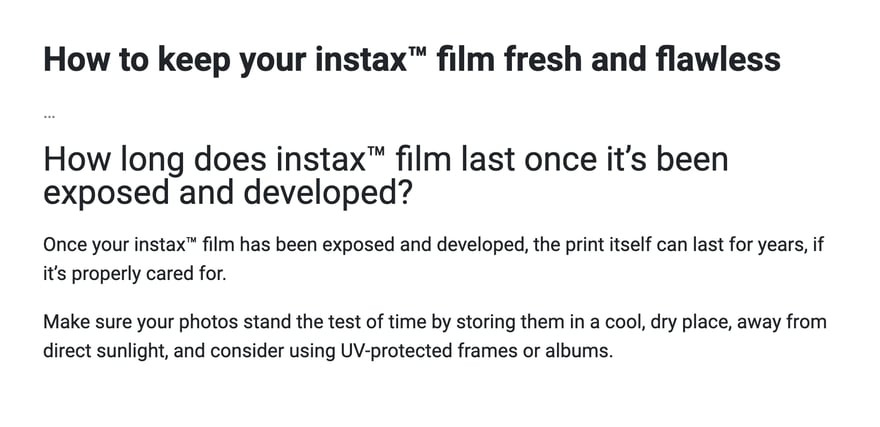
Claims circulate online of “1 to 10 years”, “decades” or “100 years”, but I could not find a manufacturer or testing-lab source for any of them, so this article gives no number. A more useful question is “what makes it deteriorate fastest”: sunlight, heat and damp all make a photo fade sooner, and both makers’ storage advice below is about avoiding exactly those three.
Polaroid: the first 30 days and afterwards are handled differently
Polaroid says that even after a photo has finished developing, invisible chemical reactions continue inside it. It splits photo storage into two stages:
- Days 1 to 30 after shooting: the chemicals in the photo have not fully dried, and poor storage may cause visible changes. During this time, let the photo dry out completely in a cool, ventilated environment, don’t press it, and don’t seal it into an album or a traditional plastic sleeve.
- After 30 days: you can put it into an album or sleeve. The best approach is to keep it somewhere dry, dark and away from UV light (Polaroid says it uses old shoeboxes itself); to frame it for display without fading, use UV-protective glass.
instax: dark, dry, ventilated
The instax spec sheet says finished photos exposed to strong light, high temperature, high humidity or certain gases will change in quality during storage; for long-term storage, keep them somewhere dark, dry, ventilated and away from harmful gases. The Fujifilm Europe site gives the same advice: keep them somewhere cool and dry, out of direct sunlight, and use UV-protective frames or albums for display.
Common places people put photos at home
Applying these principles to common places people put photos at home, you can judge them like this:
- Stuck by a window or on the fridge door where the sun reaches: breaks “avoid strong light” and will fade over time.
- Hanging from a car’s rear-view mirror or sitting on the dashboard: breaks both “avoid strong light” and “avoid heat”.
- A freshly shot Polaroid tucked straight into an album: breaks “don’t seal it for the first 30 days”.
- In an opaque, ventilated box kept indoors: matches both makers’ advice.
How to store a signed instant photo
A signed instant photo from a fan event or a meet-and-greet follows the same storage principles as any other photo; the only extra thing to look after is the writing:
- Where to write and with what pen: the official instax WIDE spec sheet says the lower white border has a writing area, for pens with non-water-based ink. Whether writing directly on the image harms the photo, and which pen lasts longest, neither maker says.
- A freshly shot and signed Polaroid: the same advice applies, don’t seal it into a card sleeve or album for the first 30 days, so the photo can dry completely. instax gives no such waiting period.
- To display it: put it somewhere the sun doesn’t reach, or use a frame with UV-protective glass; this is both makers’ shared advice for displaying photos. The signature is just as vulnerable to light as the image, and the worst place is stuck by a window for a long time.
- If you worry it will fade one day: first keep a digital copy with your phone or a scanner; see section 11 for how.
10. Completely white, completely black, pinkish: common causes
Answer: the most common cause of a completely white instax photo is opening the film door after loading film; completely white or black Polaroid photos are usually down to a problem with the camera’s light meter or shutter, or expired film.
| Symptom | Likely cause | Source |
|---|---|---|
| instax print blank, completely white or completely black | Film door opened after loading, exposing the film | instax FAQ |
| instax shot counter wrong | Back opened after loading, resetting the counter | instax FAQ |
| Polaroid completely white or black, almost no detail | Faulty light-meter eye or shutter in the camera; or expired film | Polaroid support center |
| Polaroid photo very dark | Not enough light; Polaroid’s low film speed and small aperture need lots of light or the flash | Polaroid support center |
| Yellow, orange or pink overall; blue sky turns pink | Shot above 28°C | Polaroid support center |
| Blue or green overall, faded colors | Shot below 13°C | Polaroid support center |
| Blobs and distortion along the bottom edge | Photo shaken while developing | Polaroid support center |
| Spots and distortion on the photo | Folded or pressed while developing; or dirty camera rollers | Polaroid support center |
| Pinkish and hazy overall | Unused film hit by airport X-rays | Polaroid support center |
| Washed out, low contrast | Expired film; or overexposure in high heat | Polaroid support center |
What these rows have in common is that most problems are not the film itself being faulty but something going wrong with temperature, light or handling. The most common all-white instax print comes from “opening the film door out of curiosity”: instax film should only see light at the moment you press the shutter, and once the door opens, the whole stack of film inside is exposed. Polaroid symptoms, meanwhile, can usually be traced back to temperature from the colors: a warm cast means too hot, a cool cast means too cold.
The roller row is especially worth remembering. Polaroid lists “dirty rollers” as the most common source of photo flaws and recommends opening the film door to check the rollers before loading each new pack, wiping them with a soft cloth dampened with clean water, and cleaning them regularly even when they look clean.
11. How do you digitize instant photos?
Answer: scanning with the official app is the easiest. instax has instax UP!, and Polaroid’s official app also has a scanning feature.
Fujifilm launched instax UP! in March 2023. It uses your phone to scan instax photos, white border included, into digital files; it is available on iOS and Android, in more than 100 countries. An update on 3 March 2026 added Fujifilm’s own AI scanning, which the company says recognizes photos regardless of background color or orientation, with a scan success rate of over 90%, and also added support for videos shot on the instax mini Evo Cinema.

Polaroid’s support article lists four ways to digitize: a phone plus an app, a flatbed scanner, a sheet-fed scanner, and rephotographing with a digital camera. It recommends the scanning feature in its own Polaroid app, because it handles glare and perspective distortion, the two most common problems when you simply photograph a print with your phone camera.
When scanning Polaroid photos on a flatbed scanner, rings of interference patterns often appear; these are called Newton rings and are caused by the clear layer on the photo’s surface touching the scanner glass. Polaroid’s fix is to raise the photo so it doesn’t touch the glass, about 5 mm being ideal; an empty film cartridge works as a stand.
Why bother scanning? Polaroid itself says every instant photo is a unique original with no negative to reprint from; Fujifilm also says color images fade over time. Scanning a digital copy is currently the only way to give that photo a “backup”.
12. Are the developing chemicals safe? Can children touch them?
Answer: the chemicals are corrosive, but as long as you don’t cut, puncture or put the film in your mouth, normal use gives you no chance of contact.
Fujifilm’s instax spec sheet lists several precautions:
- Every sheet of film contains a corrosive developing reagent; never cut, tear or punch holes in unused film.
- Developing starts as soon as the photo comes out, and for about 10 minutes the reagent remains mildly corrosive, so avoid skin contact during that time.
- If the reagent gets on your skin, wash it off immediately with plenty of water; if it gets in your mouth or eyes, likewise rinse immediately with plenty of water, then see a doctor.
- Don’t put film in your mouth, and keep it away from children and pets.
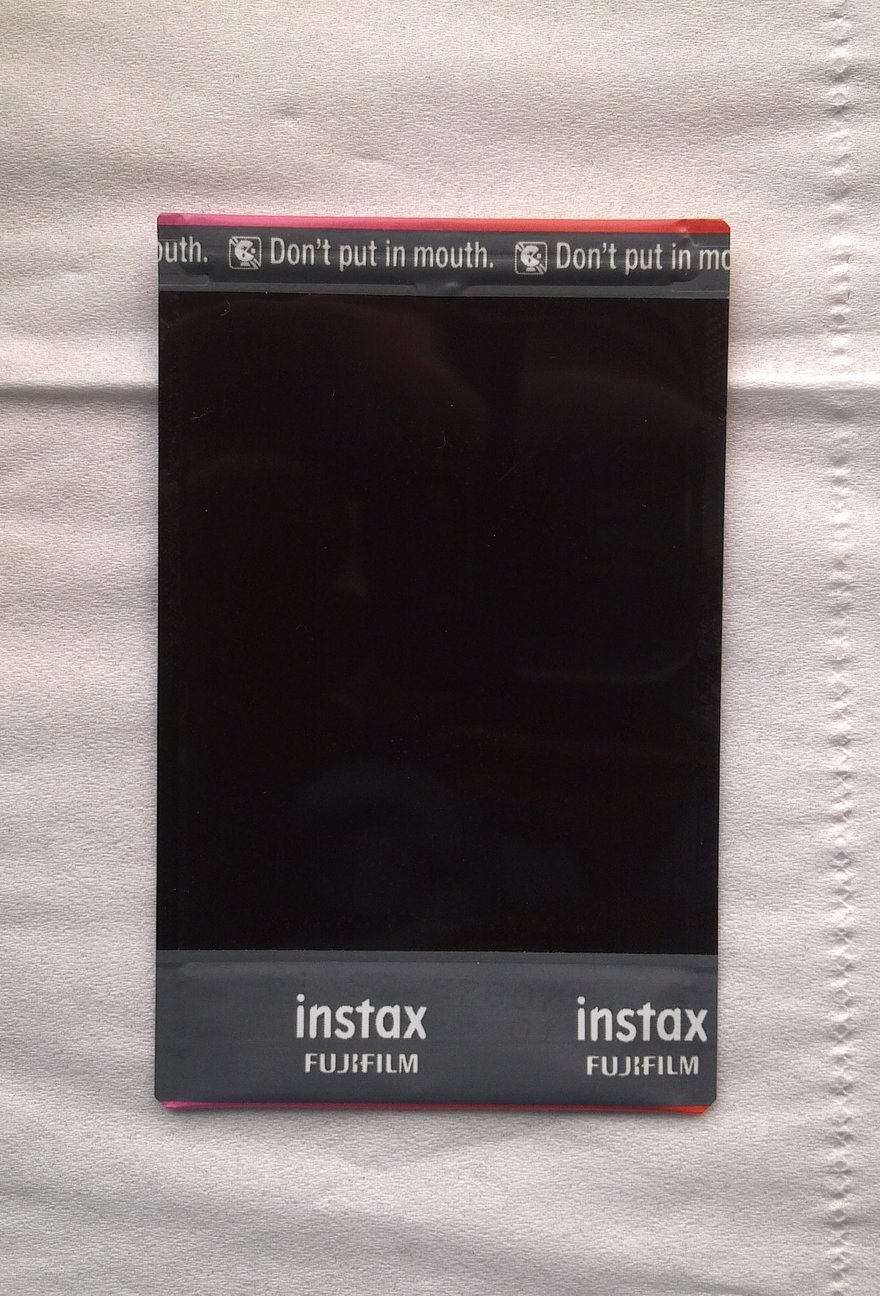

For households with small children, the practical points are just these two: don’t let children cut or bite unused film, and don’t let them squeeze a photo that has just come out and is still developing. Whether a fully developed photo can be trimmed, I could not find a clear statement in either maker’s documents.
There is one more thing to know about Polaroid film: each 600 film pack contains a battery that powers the camera and flash, while i-Type film has no battery. Polaroid says it cannot recycle empty film packs for you, and users of 600, Spectra and SX-70 film should follow local regulations and dispose of the plastic pack, the metal spring and the battery separately.
13. ZINK photo printers are not instant cameras
Answer: ZINK is paper that develops color when heated, not light-sensitive instant film; the storage and airport rules in the previous twelve sections cannot be applied directly to ZINK.
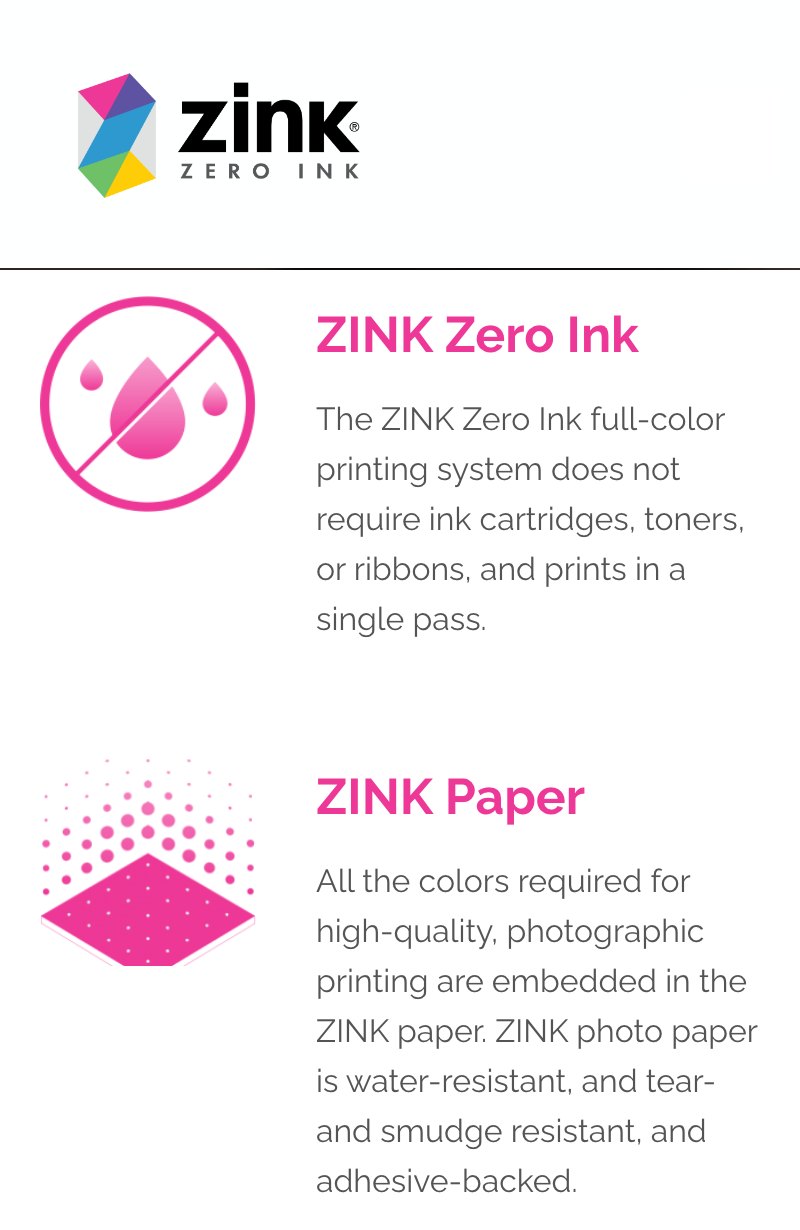
Many small photo printers and “shoot and print on the spot” cameras use ZINK paper. ZINK is short for Zero Ink, and ZINK’s own description is that all the colors needed for printing are already embedded in the paper, with no ink cartridges, toner or ribbons, and printing done in a single pass. A technical explainer from the printer maker HPRT adds the principle: the paper has three layers of initially colorless cyan, magenta and yellow dye crystals embedded in it, and the printer’s thermal print head controls the temperature and duration of heating so that each layer develops its color separately; the whole process involves no developing chemicals and no light sensitivity.
An everyday comparison: ZINK is like colored thermal receipt paper that shows color when heated; instant film is like a whole darkroom shrunk down and packed into a single photo.
In the table, “instant film” means film such as instax and Polaroid.
| Item | Instant film | ZINK paper |
|---|---|---|
| How the image forms | Light-sensitive: light exposes the film, and on ejection rollers spread the reagent so the photo develops inside itself | Heat-sensitive: colorless dyes are embedded in the paper, and the printer heats them to bring out the color |
| Developing chemicals? | Yes, sealed in each photo | No |
| Ink, toner or ribbons? | No | No |
| Typical devices | instax cameras of every series, instax Link smartphone printers, Polaroid Now, Go, I-2 | Kodak Smile, Step, Printomatic; Polaroid Snap, Zip |
| Official storage and airport guidance | Yes, see sections 5 to 9 | No official documents found for this article |
| Properties stated by the maker | Color images fade over time (Fujifilm) | Water-resistant, tear-resistant, smudge-proof (ZINK); nothing found on fading or storage life |
The row in this table most likely to mislead is the brand: Polaroid’s Snap and Zip use ZINK paper, not Polaroid instant film; conversely, the instax Link series, despite being called “printers”, uses genuine instax instant film, so its film is just as vulnerable to X-rays, and an instax printer with film loaded should be handled like instax film at security: carried on, with a hand inspection requested. What decides which set of rules a device follows is the kind of paper or film it takes, not the brand on its body.
How long ZINK paper lasts, whether it is sensitive to heat, and whether airport X-rays affect it: I could not find any official ZINK documentation, so this article does not write rules for it. Event services advertised as “instant camera” or “Polaroid” photos do not necessarily use instant film either; some shoot digitally and then print on a photo printer, so if you care about the look or longevity of the prints, ask before booking which kind of paper they use. Another common technology in photo printers is dye sublimation, which works differently from ZINK; it is covered in dye sublimation and six photo printing technologies.
Conclusion: three rules are enough
After reading through the official documents, using and storing instant film comes down to three rules:
- From ejection until developing is done, keep the photo flat: no shaking, no folding; with Polaroid, also keep it face down out of the light for ten-plus minutes.
- Temperature decides everything: instax can shoot anywhere from 5 to 40°C, Polaroid needs 13 to 28°C; when film comes out of the fridge, instax needs 12 hours to warm up and Polaroid needs 1 hour.
- Unused film fears X-rays, finished photos don’t: film and cameras with film loaded always go in your carry-on with a hand inspection requested, and finished photos can go anywhere.
If you often shoot outdoors in high heat or in cold winter weather, instax gives you noticeably more margin for error, because its usable temperature range is more than twice as wide as Polaroid’s optimal range; if you choose Polaroid for its look and feel, you have to accept slow developing, the need to shield it from light, and its sensitivity to both cold and heat, and prepare a little more before you head out. For the physical size differences between the photos, see instant photo sizes.
Further reading
- Single-use cameras, instant cameras and point-and-shoot cameras compared (series overview) (in Chinese)
- Instant camera industry history: Polaroid and instax (in Chinese)
- Instant photo sizes: instax mini, WIDE, SQUARE and Polaroid
- Single-use camera (写ルンです) industry history (in Chinese)
- Dye sublimation and six photo printing technologies
Appendix: what I could not find
I looked into these questions but could not find reliable answers, so this article does not cover them and does not fill the gaps with estimates:
- How many years finished instant photos last. Both makers only say they fade over time, without a number of years; the 10-year, 100-year and similar figures online have no testing source.
- How many months instax film lasts from production to its expiry date. Fujifilm only says “use before the date on the box”, and the figures circulating online have no official source.
- Within how many days instax film should be used up once loaded in a camera. The spec sheet only says “as soon as possible”.
- Whether airports in any given country have installed the new 360° scanners Polaroid describes, and whether security staff always accept a hand inspection of film.
- The right humidity level for a dry cabinet. Both makers only say “dry, well ventilated”.
- ZINK paper’s official storage life and heat tolerance, and whether airport X-rays affect it.
- Whether a fully developed instant photo can be trimmed; neither maker gives a clear statement.
- Whether there are limits on the number or method of carrying the batteries in Polaroid 600 film packs on flights.
Appendix: sources
- Fujifilm instax US FAQ (film category, pages 1 and 2: developing in about 90 seconds, no folding, bending or shaking, causes of all-white prints, counter reset, storage, airport X-rays, expiry date), checked 2026-09-25: https://www.instaxus.com/faq_group/film/
- Fujifilm “FUJIFILM INSTANT COLOR FILM instax wide” official data sheet AF3-077E (temperature, storage, 12-hour warm-up after the fridge, X-rays, chemical safety, photo storage; issued under the old company name Fuji Photo Film, undated), checked 2026-09-25: https://www.freestylephoto.com/static/pdf/pages/product_pdfs/fujifilm/instax_datasheet_Wide.pdf
- Fujifilm Europe instax site, “How to keep your instax film fresh and flawless” (2024-12-03; properly cared-for photos can last for years, UV light fades colors, UV-protective frames and albums), checked 2026-10-27: https://instax.co.uk/how-to-keep-your-instax-film-fresh-and-flawless/
- Fujifilm, 空港手荷物検査における X 線/CT スキャンからのフィルムの保護について (Japanese translation of a Fujifilm USA document, 2020-02-10), checked 2026-09-25: https://asset.fujifilm.com/www/jp/files/2020-02/4ea03c30a569b6b817ec39e034dbdb9c/20200227_01.pdf
- Fujifilm Japan FAQ 000001216, 写ルンです X 線検査 (updated 2023-04-06), checked 2026-09-25: https://filmandcamera-support-jp.fujifilm.com/filmandcamerapcdetail?aid=000001216
- Fujifilm Japan FAQ 000001232, 有効期限切れのフィルム (updated 2020-11-12), checked 2026-09-25: https://filmandcamera-support-jp.fujifilm.com/filmandcamerapcdetail?aid=000001232
- Fujifilm press release on the instax UP! update (2026-03-03), checked 2026-09-25: https://www.fujifilm.com/at/en/news/hq/13385
- Fujifilm press release on the launch of instax UP! (2023-03-08), checked 2026-09-25: https://www.fujifilm.com/jp/en/news/hq/9206
- Polaroid support center, “How should I store Polaroid film?”, checked 2026-09-25: https://support.polaroid.com/hc/en-us/articles/115012362747-How-should-I-store-Polaroid-film
- Polaroid support center, “How to get the most out of Polaroid film” (expiry, temperature, shielding from light, photo storage, rollers, film pack recycling), checked 2026-09-25: https://support.polaroid.com/hc/en-us/articles/115012519828-How-to-get-the-most-out-of-Polaroid-film
- Polaroid support center, “How to travel with Polaroid film (X-Rays at Airport)”, checked 2026-09-25: https://support.polaroid.com/hc/en-us/articles/115012362927-How-to-travel-with-Polaroid-film-X-Rays-at-Airport
- Polaroid support center, “How does temperature affect Polaroid film?”, checked 2026-09-25: https://support.polaroid.com/hc/en-us/articles/115012361067-How-does-temperature-affect-Polaroid-film
- Polaroid support center, “Hot weather shooting tips”, checked 2026-09-25: https://support.polaroid.com/hc/en-us/articles/360001773028-Hot-weather-shooting-tips
- Polaroid support center, “Why are my photos pink or orange?”, checked 2026-09-25: https://support.polaroid.com/hc/en-us/articles/360001792727-Why-are-my-photos-pink-or-orange
- Polaroid support center, “Why are my photos blue and faded?”, checked 2026-09-25: https://support.polaroid.com/hc/en-us/articles/360000169828-Why-are-my-photos-blue-and-faded
- Polaroid support center, “Why are my photos completely black or completely white?”, checked 2026-09-25: https://support.polaroid.com/hc/en-us/articles/115012532668-Why-are-my-photos-completely-black-or-completely-white
- Polaroid support center, “Why do my photos have distortions and blobs on them?”, checked 2026-09-25: https://support.polaroid.com/hc/en-us/articles/4507821657106-Why-do-my-photos-have-distortions-and-blobs-on-them
- Polaroid support center, “What happens when I insert a Polaroid film pack into my camera?” (black and white about 5–7 minutes, color about 10–15 minutes), checked 2026-09-25: https://support.polaroid.com/hc/en-us/articles/115012396647-What-happens-when-I-insert-a-Polaroid-film-pack-into-my-camera
- Polaroid support center, “How to make great photos with the I-1” (face down for the first 10 minutes), checked 2026-09-25: https://support.polaroid.com/hc/en-us/articles/220597507-How-to-make-great-photos-with-the-I-1
- Polaroid support center, “How do I scan my Polaroid photos?”, checked 2026-09-25: https://support.polaroid.com/hc/en-us/articles/360001583187-How-do-I-scan-my-Polaroid-photos
- Polaroid support center, “What are Newton rings and how do I avoid them?”, checked 2026-09-25: https://support.polaroid.com/hc/en-us/articles/360001567307-What-are-Newton-rings-and-how-do-I-avoid-them
- Polaroid i-Type color film product page (developing 10–15 minutes, ASA 640, no battery), checked 2026-09-25: https://www.polaroid.com/en_us/products/color-itype-instant-film
- Polaroid 600 color film product page (developing 10–15 minutes, ASA 640, battery included), checked 2026-09-25: https://www.polaroid.com/en_us/products/color-600-instant-film
- US Transportation Security Administration (TSA), “What Can I Bring? Film”, checked 2026-09-25: https://www.tsa.gov/travel/security-screening/whatcanibring/items/film
- ZINK official site (no ink cartridges, toner or ribbons, single pass; water-resistant, tear-resistant, smudge-proof), checked 2026-09-25: https://www.zink.com/ and https://zink.com/technology/
- HPRT, “Understanding ZINK Inkless Printing in Photo Printers” (printer maker’s blog; ZINK dye crystals and the heating principle), checked 2026-09: https://www.hprt.com/blog/Understanding-ZINK-Inkless-Printing-in-Photo-Printers-Demonstration-Video-Included.html
- Kodak ZINK paper product page (2×3 inch, adhesive backing, compatible with Printomatic, Step, Smile), checked 2026-09: https://www.kodakphotoplus.com/products/kodak-2x3-zink-instant-photo-paper-150-pack-compatible-with-printomatic-kodak-step-kodak-smile
- Best Buy ZINK 2×3 inch paper product page (compatible with Polaroid Snap, Snap Touch, Zip), checked 2026-09-25: https://www.bestbuy.com/product/zink-photo-paper-2x320-pack-compatible-w-polaroid-snap-snap-touch-zip-cameras-printers-mint/J3688YC4VC
Image sources
- Cover and section 8: TSA checkpoint at New Orleans airport in the US, March 2020. Photo: Tony Webster, CC BY 2.0. The cover is cropped to 16:9 from the original: https://commons.wikimedia.org/wiki/File:TSA_Security_Checkpoint_at_Airport.jpg
- Section 3: instax mini photos and an instax mini 90 camera. Photo: Michael Sheehan, CC BY 2.0: https://commons.wikimedia.org/wiki/File:Photos_with_Camera_-_Fujifilm_Instax_Mini_90_NEO_CLASSIC_Instant_Camera_(17103760170).jpg
- Section 4: four states of Polaroid 600 film. Author: Piercetheorganist (English Wikipedia user), public domain: https://commons.wikimedia.org/wiki/File:Polaroid_film_stages.png
- Section 8: airport carry-on baggage X-ray machine. Photo: Piotrus, CC BY-SA 3.0: https://commons.wikimedia.org/wiki/File:Airport_security_01.JPG
- Section 12: warning on the back of instax mini film. Photo: Willwongprd, CC BY-SA 4.0: https://commons.wikimedia.org/wiki/File:Fujifilm_instax_mini_rainbow_film_back.png
All the photos above are from Wikimedia Commons and are credited with their authors and licenses under each license’s terms; photos under CC BY-SA licenses that this site has resized or cropped are released under the same license.
There are also 8 screenshots of manufacturer websites, support centers and official PDFs, used as cited evidence and cropped to the parts relevant to the text:
- Section 4, Polaroid “How to get the most out of Polaroid film”, “6. Shield it!” section (screenshot): Polaroid support center, captured 25 September 2026, cited as evidence: https://support.polaroid.com/hc/en-us/articles/115012519828-How-to-get-the-most-out-of-Polaroid-film
- Section 6, instax FAQ question on film storage (screenshot): instax US site, captured 25 September 2026, cited as evidence: https://www.instaxus.com/faq_group/film/
- Section 8, instax FAQ question on airport X-rays (screenshot): instax US site, captured 25 September 2026, cited as evidence: https://www.instaxus.com/faq_group/film/
- Section 8, Polaroid “How to travel with Polaroid film (X-Rays at Airport)” (screenshot): Polaroid support center, captured 25 September 2026, cited as evidence: https://support.polaroid.com/hc/en-us/articles/115012362927-How-to-travel-with-Polaroid-film-X-Rays-at-Airport
- Section 8, Fujifilm 空港手荷物検査における X 線/CT スキャンからのフィルムの保護について (screenshot): PDF on Fujifilm’s Japanese site, captured 25 September 2026, cited as evidence: https://asset.fujifilm.com/www/jp/files/2020-02/4ea03c30a569b6b817ec39e034dbdb9c/20200227_01.pdf
- Section 9, Fujifilm Europe instax “How to keep your instax film fresh and flawless”, photo storage question (screenshot): instax UK site, captured 27 October 2026, cited as evidence: https://instax.co.uk/how-to-keep-your-instax-film-fresh-and-flawless/
- Section 11, Fujifilm instax UP! update press release (screenshot): Fujifilm website, captured 25 September 2026, cited as evidence: https://www.fujifilm.com/at/en/news/hq/13385
- Section 13, ZINK technology page (screenshot): ZINK official site, captured 25 September 2026, cited as evidence: https://zink.com/technology/
Keywords: how to store instant film, should you shake a Polaroid, instax developing time, storing instax film in the fridge, Polaroid film storage, expired instant film, instant film airport X-ray, Polaroid film X-ray, instant photo turned white, how long do Polaroids last, ZINK paper
Frequently asked questions
Should you shake an instant photo after taking it?
No. Fujifilm says an instax print develops in about 90 seconds and must not be folded, bent or shaken during that time, or the developing chemicals will spread unevenly. Polaroid also says never to shake a photo while it develops, because shaking easily leaves blobs and distortion along the bottom edge. Hold the print by its white border, lay it flat and let it develop.
Can you keep instant film in the fridge? How long should it warm up?
Yes, and it is the long-term storage method the makers recommend. Keep instax film at 10°C or below, put opened packs in a plastic bag first, and wait at least 12 hours after taking it out before opening it. Keep Polaroid film lying flat at 4–18°C, never freeze it, and let it warm up for at least 1 hour before shooting. If you open film before it has warmed up, condensation can damage it.
Can you take instant film on a plane? Will airport X-rays ruin it?
Never put unused film, or a camera with film loaded, in checked baggage. Carry it on board, and ideally ask security staff for a hand inspection. Polaroid says that since the end of 2019 some airports have installed 360° scanners that use a higher dose, which can damage film even in carry-on bags; damaged photos look pinkish and hazy. Photos you have already taken are not affected by X-rays.
Can you still use expired instant film?
It will still produce pictures, but quality is not guaranteed. Polaroid says film works best within 12 months of the production date; expired film still develops but may have flaws, look washed out or even come out completely white, and such flaws are not covered by the warranty. For instax, the official FAQ only says to use the film before the expiry date on the box and does not publish a shelf life in months.
How long do instant photos last?
Neither maker gives a number of years. The Fujifilm Europe instax site only says a photo can last for years if properly cared for, and the instax spec sheet states plainly that all photos fade over time; the 10-year or 100-year figures circulating online have no manufacturer or testing-lab source that I could find. How long a print lasts depends on light, heat and humidity: sunlight, heat and damp all make it fade sooner. If you want to keep it for good, scan it to a digital file as well.
How do you store instant photos so they don’t fade?
Keep them somewhere dry, dark and well ventilated, out of sunlight. Polaroid also recommends not sealing a photo into an album or sleeve for the first 30 days so the chemicals can dry completely, and only then putting it away; if you frame it, use UV-protective glass. Fujifilm also says all color images fade over time, so scan important photos to digital files.
How should you store a signed instant photo?
The same way as any other instant photo: somewhere dry, dark, well ventilated and out of the sun, and in a UV-protective glass frame if you want to display it. Do not seal a freshly shot and signed Polaroid into a card sleeve for the first 30 days. The instax WIDE spec sheet says the lower white border is the writing area, for pens with non-water-based ink; whether writing directly on the image harms the photo is something the makers do not address.
Why did my instant photo come out completely white?
For instax, the most common cause of a blank white print is opening the film door after loading film, which exposes the whole pack. For Polaroid, completely white or completely black photos are usually caused by a faulty light meter or shutter in the camera, or by expired film; in low light, Polaroid also tends to produce very dark photos.
Sources: Chinese original first published 2026-09-25 and revised 2026-10-27; official FAQs, spec sheets and support pages checked 25 September 2026, the Fujifilm Europe instax page checked 27 October 2026.
This English version is based on original Traditional Chinese content on joelin.cc. The language and explanations are localised for international readers. The Traditional Chinese original is the authoritative version — for its complete meaning, please read the original article.